 Piktures
Search
⌘K
Download app
Piktures
Search
⌘K
Download app

Piktures is a photo gallery for Android that connects to your cloud services, your personal cloud, and the network drives on your computer or NAS.
Piktures has its own rendering engine to let you see your photos very fast.
The Secret Space keeps your most private photos and videos out of the gallery, behind your PIN code. Their files are scrambled so other apps can't open them.
Piktures lets you access your photos on Dropbox, Google Drive, Microsoft OneDrive, Koofr and Yandex Disk.
You can crop, edit, filter and add drawings on your photos from the editor.
Piktures supports WebDAV, connects to your Nextcloud server, and opens the network drives (SMB) on your computer or NAS.
Share and resize photos before sharing
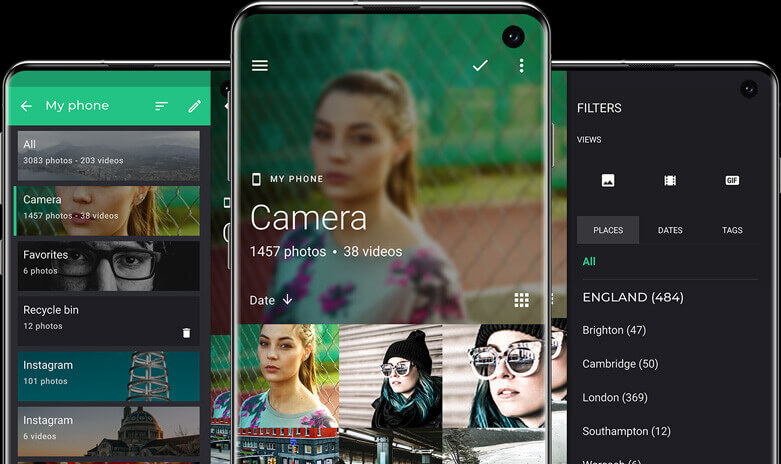
You just swipe left to see the list of albums, it's the fastest experience to move from albums to albums
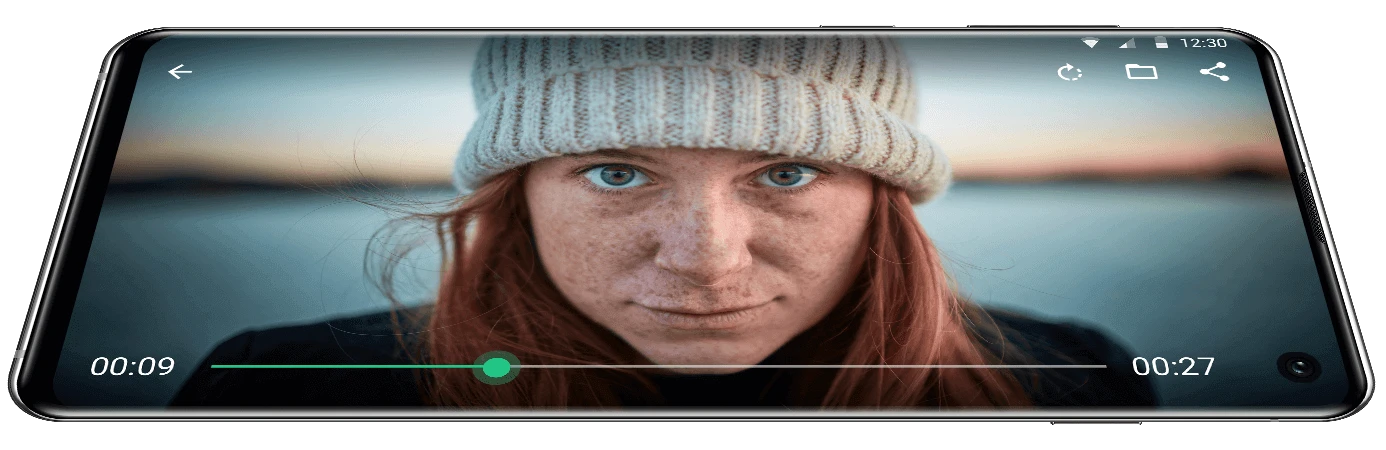
Piktures embeds a powerful video player that beats many standalone players
Android Authority ·
Ranks Piktures third among Samsung Gallery alternatives, praising its card interface, USB and cloud support, and Secret Space.
AndroidAyuda ·
Dedicated review praising Piktures' gesture-based design, calendar view, broad storage support and privacy, criticising only its Spanish translation.
Android Authority ·
Praises USB drive access, Nextcloud support, the Secret Space and the polished interface.
Android Police ·
Ranks Piktures fourth among Simple Gallery alternatives, calling its interface the best of all the apps on the list.
nextpit ·
Describes Piktures as attractive and intuitive, with location and calendar views.
Piktures needs Android 11 or later. It's free on Google Play.
Yes. The free Basic plan shows a few ads and allows one remote access. No ads removes the ads for a one-time purchase. Premium, a one-time purchase, and Prime, a monthly subscription, unlock every feature. The first time you open Piktures, you get 3 days without ads.
Google Drive, Microsoft OneDrive, Dropbox, Koofr and Yandex Disk, plus Nextcloud and any WebDAV server over HTTPS. Your first access is free, whatever the service; more need Premium or Prime. With Google Drive, Piktures only sees the files it has uploaded itself.
Yes. Piktures opens network drives that share their folders with SMB, also called Samba, on your home Wi-Fi network, and WebDAV servers. Videos play straight from the drive.
It keeps photos and videos out of the gallery, behind a 4-digit PIN code, with your phone's biometric unlock as an option. The files are renamed and scrambled so they can't be opened by browsing the phone or with other apps. This is deliberately light protection, not strong encryption. The Secret Space isn't part of any backup, so export it regularly.
No. There's no Piktures account: you don't need to sign up to use the app or to buy a plan. Plans are sold through Google Play.
Yes. The photo editor crops, rotates, straightens and mirrors a photo, applies filters, adjusts contrast, exposure, saturation and vignette, and draws or adds text. The video editor trims a video, removes its sound, inserts another video, exports a frame, and changes the speed from 0.75× to 3×.
With Premium or Prime, your clouds and network drives can receive automatic backups of your phone albums.